
You open Midjourney for the first time, type "cool dragon," and get a result that's... fine. Generic. Nothing like what you had in mind. Meanwhile, someone else types a paragraph of specific descriptors and produces something breathtaking.
The difference is prompt engineering — the skill of communicating with AI image generators clearly and effectively. It's not programming. It's not magic. It's a learnable craft, and this guide gives you a solid foundation from scratch.
What Is a Prompt?
In the context of AI image generation, a prompt is the text instruction you give to an AI model to generate an image. The AI reads your text, interprets what you mean, and produces pixels that try to match your description.
The fundamental challenge: AI models are trained on billions of images and captions. They've learned associations between words and visual concepts. But they interpret your words probabilistically — every generation is slightly different, and the model makes countless micro-decisions about what you "really meant."
Prompt engineering is the practice of writing prompts that guide those micro-decisions toward the result you actually want.
Why "Cool Dragon" Doesn't Work
"Cool dragon" is maximally ambiguous. The AI has seen thousands of dragons described as "cool" — Western dragons, Eastern dragons, cartoon dragons, realistic dragons, dragons breathing fire, dragons in flight. With no additional guidance, it picks something that averages all of those. The result feels generic because it essentially is — it's the statistical average of "cool dragon."
The more specific your prompt, the more the AI has to work with, and the more distinctive your result. Compare:
Weak: cool dragon
Strong: ancient sea dragon emerging from stormy ocean waves at night, translucent teal scales catching moonlight, massive wingspan, serpentine body, bioluminescent markings, cinematic wide shot, dramatic lighting, dark fantasy concept art
Same subject. Very different results.
Try it yourself — upload any image and get an optimized AI prompt in seconds.
Try Free →See the Difference: How Single Words Change Everything
The power of prompt engineering becomes clearest when you change exactly one word and compare results. Here are five pairs that demonstrate how much a single term shifts the output.
cinematic portrait

editorial portrait

Cinematic pushes toward dramatic film lighting, deep shadows, and theatrical mood. Editorial signals clean, professional, magazine-ready — typically brighter, more controlled, less atmospheric.
golden hour lighting
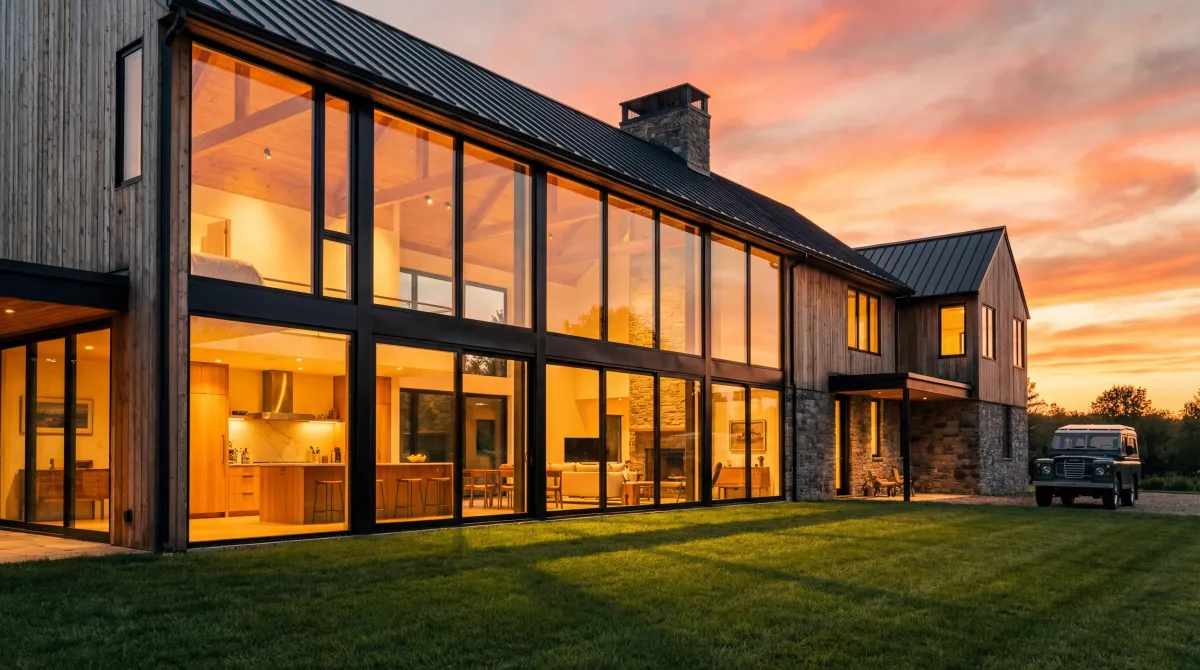
blue hour lighting

Golden hour (just after sunrise or before sunset) produces warm orange and amber light with long shadows. Blue hour (just after sunset) produces soft, cool, diffused blue light with almost no shadows — a completely different emotional register.
oil painting

watercolor painting

Oil painting implies rich, saturated color, visible brushwork, and a sense of weight and permanence. Watercolor implies soft edges, transparent washes, lighter tones, and delicate linework — lighter and more ephemeral in feeling.
wide angle shot

extreme close-up

Wide angle shot places your subject in context, showing the environment around them. Extreme close-up eliminates context entirely, focusing on a single detail. These are compositional opposites that produce fundamentally different images of the same subject.
peaceful mood

ominous mood

Mood words influence color choices, lighting treatment, and even subject expression. Peaceful tends toward soft light, open spaces, and calm colors. Ominous tends toward low-key lighting, deep shadows, and a sense of threat — even with an identical subject.
The Five Pillars of a Strong AI Art Prompt
1. Subject — What Is In the Image?
The subject is your starting point: the person, creature, object, or scene you want depicted. Be precise:
- Weak: "a woman"
- Strong: "a Japanese warrior woman in her 30s wearing intricately crafted ceremonial armor, standing in a bamboo forest"
Include: physical characteristics, age/era, clothing, expression, action, relationship to environment.
2. Style — How Should It Look?
Style tells the AI what artistic or photographic register to work in. Without this, the AI chooses for itself — usually something between photorealistic and concept art.
Common style categories:
- Photographic:
cinematic photography,editorial portrait,documentary photography,macro photography - Painting:
oil painting,watercolor illustration,impressionist painting,digital painting - Illustration:
concept art,anime style,comic book illustration,children's book illustration - 3D/Render:
octane render,unreal engine 5,CGI animation
You can also reference specific artists (use ethically) or describe a recognizable visual genre like "1980s science fiction paperback cover art" or "Art Nouveau poster design."
3. Lighting — What Is the Light Doing?
Lighting is arguably the single most powerful element for mood and quality. AI generators are surprisingly good at interpreting specific lighting descriptions.
Key lighting descriptors:
- Direction: front-lit, side-lit, backlit, top-lit, under-lit
- Quality: soft diffused light, harsh direct light, dappled light
- Time of day: golden hour, blue hour, midday, overcast, night
- Type: natural sunlight, studio lighting, neon lights, candlelight, bioluminescence, firelight
- Named lighting setups: Rembrandt lighting, butterfly lighting, chiaroscuro
A poorly lit image with a great subject still looks mediocre. A well-lit image elevates everything.
4. Composition — How Is It Framed?
Composition tells the AI how to arrange elements within the frame. Without guidance, the AI defaults to whatever was most common in its training data — usually centered, neutral framing.
Shot types (borrow from film/photography):
extreme close-up— fills the frame with detail (an eye, a texture, a mouth)close-up portrait— face and shouldersmedium shot— waist upfull body shot— subject from head to toewide shot— subject in full environmentestablishing shot— large environment, subject is smallaerial view/bird's eye view— looking straight downworm's eye view— looking straight upDutch angle— tilted camera for tension
Composition techniques:
rule of thirds— subject offset from centercentered composition— symmetrical, formalleading lines— environmental elements draw the eyebokeh / shallow depth of field— blurred backgrounddeep focus— everything sharp
5. Mood and Atmosphere — How Should It Feel?
Mood communicates the emotional register. It influences color choices, lighting treatment, and the overall feel of the image even when you don't specify every detail.
Useful mood descriptors:
- Mysterious, ominous, eerie, unsettling
- Hopeful, warm, nostalgic, peaceful
- Epic, grand, awe-inspiring, majestic
- Melancholic, quiet, lonely, contemplative
- Tense, urgent, chaotic, energetic
- Magical, otherworldly, dreamlike, surreal
Anatomy of a Professional Prompt
Let's dissect a complete professional prompt, labeling each component to see exactly how it maps to the Five Pillars.
ancient sea dragon emerging from stormy ocean waves at night, dark fantasy concept art, digital painting, dramatic rim lighting, bioluminescent glow from below, deep navy blue and teal with warm orange accents, cinematic wide shot, low angle perspective, mysterious, awe-inspiring, powerful --ar 21:9 --v 6.1 --style raw --q 2
Every element earns its place. Remove "bioluminescent glow from below" and the dragon loses its otherworldly quality. Remove "low angle perspective" and the sense of scale collapses. Professional prompts aren't long for the sake of length — they're specific because every term adds information the AI can use.
Quality Tags: The Reliable Boosters
Many AI generators respond to quality-signaling terms that tell the model to produce its best output. These are especially important in Stable Diffusion:
masterpiece,best quality,highly detailed8k resolution,ultra-high definitionsharp focus,professionalaward-winning photography
In Midjourney and Flux, these tags are less necessary since these models already target high quality by default. But in SD they make a meaningful difference.
Negative Prompts: What You Don't Want
Stable Diffusion has a separate negative prompt field where you list elements you want excluded. This is one of SD's most powerful features.
A standard negative prompt baseline:
blurry, low quality, bad anatomy, deformed fingers, watermark, text, logo, cropped, out of frame, duplicate, ugly, amateur, jpeg artifacts
Add model-specific negatives for your checkpoint. For portrait generation, always include: bad hands, missing fingers, extra fingers, fused fingers, mutated hands
Midjourney handles this with --no [term] at the end of your prompt, though it's less powerful than SD's implementation.
Prompt Vocabulary Cheat Sheet
A reference table of the most reliable prompt terms by category. Bookmark this and use it as a starting point when building new prompts.
| Category | Useful Terms |
|---|---|
| Lighting | golden hour, blue hour, rim light, backlit, Rembrandt lighting, volumetric light, neon light, candlelight, overcast, harsh shadow, soft diffused light, chiaroscuro, bioluminescent |
| Style | cinematic, editorial, concept art, oil painting, watercolor, anime style, photorealistic, hyperrealistic, minimalist, surrealist, impressionist, Art Nouveau, dark fantasy, retrofuturism |
| Mood | ethereal, dramatic, serene, ominous, nostalgic, whimsical, melancholic, epic, cozy, unsettling, mysterious, triumphant, desolate, magical |
| Composition | close-up portrait, wide shot, bird's eye view, Dutch angle, rule of thirds, centered symmetrical, leading lines, negative space, shallow depth of field, deep focus, extreme close-up, establishing shot |
| Color | warm tones, cool tones, muted palette, vibrant saturated, monochromatic, complementary colors, pastel, earth tones, jewel tones, high contrast, desaturated |
| Quality (SD) | masterpiece, best quality, highly detailed, 8k resolution, ultra HD, sharp focus, professional, award-winning photography |
| Camera / Lens | 85mm f/1.4, 24mm wide angle, macro lens, Canon EOS R5, Hasselblad, film grain, bokeh, tilt-shift, anamorphic lens flare, shallow depth of field |
Watch a Prompt Evolve: From Basic to Professional
The most effective way to understand prompt engineering is to watch a single prompt grow from vague to precise. Each stage adds one layer of information.
Stage 1 — Too vague
a cat in a garden

Generic. The AI picks the statistical average of "cat in garden" — probably a domestic cat, probably daytime, probably green grass. Nothing distinctive.
Stage 2 — Specific subject and setting
a fluffy orange tabby cat sitting among wildflowers in an English cottage garden

Better. Now we have breed (orange tabby), coat (fluffy), action (sitting), specific environment (wildflowers, English cottage garden). But we still have no artistic direction.
Stage 3 — Add style
a fluffy orange tabby cat sitting among wildflowers in an English cottage garden, watercolor illustration style, soft edges, delicate linework

Now it has artistic direction. The style words give the AI a visual register to work in. The subject is the same, but the technique transforms it.
Stage 4 — Add lighting
a fluffy orange tabby cat sitting among wildflowers in an English cottage garden, watercolor illustration style, soft edges, delicate linework, golden hour sunlight, dappled light filtering through trees, warm amber tones

Lighting transforms the mood completely. The same scene now feels warm, nostalgic, and idyllic. Lighting is often the single highest-impact addition you can make to a prompt.
Stage 5 — Add composition and parameters
a fluffy orange tabby cat sitting among wildflowers in an English cottage garden, watercolor illustration style, soft edges, delicate linework, golden hour sunlight, dappled light filtering through trees, warm amber tones, shallow depth of field, rule of thirds composition --ar 3:2 --v 6.1

Professional result. The composition terms direct the AI's framing. The aspect ratio matches the intended use. This is the same subject as Stage 1 — transformed by five layers of specificity.
How to Learn Prompt Engineering Fast
Study Existing Prompts
Websites like PromptHero, Civitai, and Lexica let you browse AI art with the prompts that created it. Study what descriptors produce specific results. Look for patterns in the prompts behind images you like.
Use Image-to-Prompt Conversion
One of the best ways to learn is to analyze images you love. Upload any image to ImageToPrompt and examine the generated prompt carefully. You'll see how specific visual qualities translate into prompt language. Do this with 10–20 images and you'll rapidly internalize the vocabulary.
Change One Thing at a Time
When experimenting, change only one element between generations. If you change five things and the result improves, you don't know which change helped. If you change one thing, you learn exactly what it does.
Build a Personal Prompt Library
Keep a document of phrases and combinations that work well for you. "Golden hour backlit portrait" might be something you use in 30% of your prompts. Having a library of reliable phrases speeds up your workflow dramatically. Or skip writing prompts manually — use our Text to Prompt Generator to enhance any description instantly.
The Fastest Path From Zero to Good Results
If you're just starting and want good results quickly, here's the shortcut:
- Find 3–5 images that represent the style you want to create
- Upload each one to ImageToPrompt to extract the prompt
- Identify the common elements across those prompts — those are your style anchors
- Build your own prompt using those anchors as a foundation
- Generate, evaluate, and adjust one element at a time
This approach short-circuits months of trial and error by giving you real vocabulary that works in real prompts, derived from images you actually like.
3 Exercises to Practice Right Now
Reading about prompt engineering only goes so far. These exercises build real intuition fast.
Exercise 1: Analyze and Compare
Upload your favorite photo to ImageToPrompt. Read the generated prompt carefully. Then close it and write your own prompt for the same image from scratch without looking at the AI output. Compare the two — what did you miss? What did the AI miss? The gaps in both directions teach you more than any tutorial.
Exercise 2: The One-Word Game
Take any working prompt and change exactly one word. Generate both versions and compare. Do this 5 times with 5 different words. You'll quickly learn which descriptors have the most visual impact — and it'll surprise you. Often it's a lighting term or a single mood word, not the subject description, that makes the biggest difference.
Exercise 3: Style Transfer
Generate a prompt from a landscape photograph using ImageToPrompt. Now keep ALL the style, lighting, color, and mood words from that prompt — but swap the subject for something completely different (a person, a vehicle, a building). See how the visual language transfers. This is how professional AI artists build consistent style across varied subjects.
Start Learning by Analyzing Real Images
Upload any image to ImageToPrompt and see exactly how visual qualities translate into prompt language. The fastest way to learn prompt engineering.
Try the Free Image to Prompt Generator →