Image-to-prompt functionality — the ability to analyze an image and generate an AI-ready text prompt describing it — has moved from novelty to essential feature in dozens of creative tools. Design apps use it for style matching. Browser extensions use it to analyze images users are viewing. Content pipelines use it for batch processing visual assets.
If you want to add this capability to your own application, you have three serious options: Claude Vision (Anthropic), GPT-4V (OpenAI), and Gemini Vision (Google). This guide covers the technical integration for each, with actual working code, and gives you the prompting templates that produce high-quality structured outputs.
Why Developers Need Image-to-Prompt APIs
The use cases are broader than they might first appear:
- Creative tools: Let users upload inspiration images and get AI-ready prompts for generation tools (Midjourney, Stable Diffusion, DALL·E)
- Design platforms: Analyze uploaded mood boards to extract style guidelines
- E-commerce: Generate product descriptions from product photos
- Content moderation pipelines: Understand image content for classification and tagging
- Accessibility tools: Generate detailed alt-text and image descriptions
- Game asset pipelines: Auto-tag and describe assets in large libraries
- Social media tools: Generate captions and hashtags from uploaded images
- Photo organization apps: Semantic search over image collections
The Three Main API Options
| API | Provider | Image Input | Pricing (approx.) | Best For |
|---|---|---|---|---|
| Claude Vision (claude-haiku-4-5 / claude-sonnet) | Anthropic | Base64 or URL | $0.25–$3 per 1M input tokens | Detailed prompts, instruction-following |
| GPT-4V / GPT-4o | OpenAI | Base64 or URL | $2.50–$10 per 1M input tokens | Broad knowledge, chat integration |
| Gemini Vision (1.5 Flash/Pro) | Base64, URL, or GCS | $0.075–$3.50 per 1M input tokens | High volume, cost-sensitive workloads |
For image-to-prompt specifically, Claude Vision tends to produce the most structured, art-direction-aware outputs. GPT-4o is the most versatile if you're already in the OpenAI ecosystem. Gemini 1.5 Flash is the cheapest option for high-volume pipelines where cost matters more than maximum quality.
Claude Vision API: Setup and Authentication
First, install the Anthropic SDK:
pip install anthropicOr for Node.js:
npm install @anthropic-ai/sdkGet your API key from console.anthropic.com and set it as an environment variable:
export ANTHROPIC_API_KEY="sk-ant-api03-..."Image Encoding: Base64 vs URL
Claude Vision accepts images in two formats:
Base64 (recommended for local files): Encode the image as a base64 string and include it directly in the API request. Supports JPEG, PNG, GIF, and WebP. Maximum 5MB per image.
URL (recommended for web-hosted images): Pass a publicly accessible image URL. Claude will fetch the image server-side. The URL must be publicly reachable (no authentication required).
System Prompt Template for Generating AI-Ready Prompts
The system prompt is the most important part of your implementation. A weak system prompt produces generic image descriptions. A well-crafted one produces structured, actionable prompts that work well with image generation models.
Here is the system prompt template that produces high-quality Midjourney/Stable Diffusion compatible output:
You are an expert AI art prompt engineer. When given an image, analyze it thoroughly and generate an optimized text prompt that would recreate a similar image using an AI image generation tool.

Your output must follow this structure:

PROMPT:
[Single paragraph, comma-separated descriptors. Include: subject description, environment/setting, lighting conditions, color palette, mood/atmosphere, art style, rendering quality. Be specific and concrete. 60-120 words.]

STYLE NOTES:
[2-3 sentences describing the visual style, medium, and any distinctive aesthetic characteristics]

NEGATIVE PROMPT:
[Comma-separated list of elements to exclude for best results]

MODEL RECOMMENDATION:
[One of: Midjourney, Stable Diffusion, DALL·E 3, Flux, Ideogram — based on the image style]

Do not include any preamble, explanation, or text outside this structure.
Python Implementation: Claude Vision
import anthropic
import base64
from pathlib import Path

def image_to_prompt(image_path: str, target_model: str = "Midjourney") -> dict:
    """
    Analyze an image and generate an AI art prompt.

    Args:
        image_path: Path to local image file
        target_model: Target AI model ("Midjourney", "Stable Diffusion", etc.)

    Returns:
        dict with 'prompt', 'style_notes', 'negative_prompt', 'model_recommendation'
    """
    client = anthropic.Anthropic()

    # Read and encode image
    image_data = Path(image_path).read_bytes()
    base64_image = base64.standard_b64encode(image_data).decode("utf-8")

    # Detect media type
    suffix = Path(image_path).suffix.lower()
    media_type_map = {
        ".jpg": "image/jpeg",
        ".jpeg": "image/jpeg",
        ".png": "image/png",
        ".gif": "image/gif",
        ".webp": "image/webp"
    }
    media_type = media_type_map.get(suffix, "image/jpeg")

    system_prompt = """You are an expert AI art prompt engineer. Analyze the provided image and generate an optimized prompt for AI image generation.

Output this exact structure:

PROMPT:
[60-120 word comma-separated prompt covering subject, environment, lighting, colors, mood, style, quality tokens]

STYLE NOTES:
[2-3 sentences on visual style and distinctive characteristics]

NEGATIVE PROMPT:
[Comma-separated exclusion list]

MODEL RECOMMENDATION:
[Best model: Midjourney, Stable Diffusion, DALL·E 3, Flux, or Ideogram]"""

    message = client.messages.create(
        model="claude-haiku-4-5",
        max_tokens=1024,
        system=system_prompt,
        messages=[
            {
                "role": "user",
                "content": [
                    {
                        "type": "image",
                        "source": {
                            "type": "base64",
                            "media_type": media_type,
                            "data": base64_image,
                        },
                    },
                    {
                        "type": "text",
                        "text": f"Analyze this image and generate an AI art prompt optimized for {target_model}."
                    }
                ],
            }
        ],
    )

    # Parse response
    response_text = message.content[0].text
    return parse_prompt_response(response_text)


def parse_prompt_response(text: str) -> dict:
    """Parse structured response into a dictionary."""
    result = {}
    sections = {
        "prompt": "PROMPT:",
        "style_notes": "STYLE NOTES:",
        "negative_prompt": "NEGATIVE PROMPT:",
        "model_recommendation": "MODEL RECOMMENDATION:"
    }

    lines = text.split("\n")
    current_section = None
    current_content = []

    for line in lines:
        line = line.strip()
        matched = False
        for key, header in sections.items():
            if line.startswith(header):
                if current_section:
                    result[current_section] = " ".join(current_content).strip()
                current_section = key
                remainder = line[len(header):].strip()
                current_content = [remainder] if remainder else []
                matched = True
                break
        if not matched and current_section and line:
            current_content.append(line)

    if current_section:
        result[current_section] = " ".join(current_content).strip()

    return result


# Example usage
if __name__ == "__main__":
    result = image_to_prompt("reference_photo.jpg", target_model="Midjourney")
    print("PROMPT:", result.get("prompt"))
    print("NEGATIVE:", result.get("negative_prompt"))
    print("RECOMMENDED MODEL:", result.get("model_recommendation"))
JavaScript / Node.js Implementation
import Anthropic from "@anthropic-ai/sdk";
import fs from "fs";
import path from "path";

const client = new Anthropic({
  apiKey: process.env.ANTHROPIC_API_KEY,
});

const SYSTEM_PROMPT = `You are an expert AI art prompt engineer. Analyze the provided image and generate an optimized prompt for AI image generation.

Output this exact structure:

PROMPT:
[60-120 word comma-separated prompt covering subject, environment, lighting, colors, mood, style, quality tokens]

STYLE NOTES:
[2-3 sentences on visual style and distinctive characteristics]

NEGATIVE PROMPT:
[Comma-separated exclusion list]

MODEL RECOMMENDATION:
[Best model: Midjourney, Stable Diffusion, DALL·E 3, Flux, or Ideogram]`;

async function imageToPrompt(imagePath, targetModel = "Midjourney") {
  const imageBuffer = fs.readFileSync(imagePath);
  const base64Image = imageBuffer.toString("base64");

  const ext = path.extname(imagePath).toLowerCase();
  const mediaTypeMap = {
    ".jpg": "image/jpeg",
    ".jpeg": "image/jpeg",
    ".png": "image/png",
    ".gif": "image/gif",
    ".webp": "image/webp",
  };
  const mediaType = mediaTypeMap[ext] || "image/jpeg";

  const message = await client.messages.create({
    model: "claude-haiku-4-5",
    max_tokens: 1024,
    system: SYSTEM_PROMPT,
    messages: [
      {
        role: "user",
        content: [
          {
            type: "image",
            source: {
              type: "base64",
              media_type: mediaType,
              data: base64Image,
            },
          },
          {
            type: "text",
            text: `Analyze this image and generate an AI art prompt optimized for ${targetModel}.`,
          },
        ],
      },
    ],
  });

  const responseText = message.content[0].text;
  return parsePromptResponse(responseText);
}

function parsePromptResponse(text) {
  const result = {};
  const sections = {
    prompt: "PROMPT:",
    style_notes: "STYLE NOTES:",
    negative_prompt: "NEGATIVE PROMPT:",
    model_recommendation: "MODEL RECOMMENDATION:",
  };

  let currentSection = null;
  let currentLines = [];

  for (const rawLine of text.split("\n")) {
    const line = rawLine.trim();
    let matched = false;

    for (const [key, header] of Object.entries(sections)) {
      if (line.startsWith(header)) {
        if (currentSection) {
          result[currentSection] = currentLines.join(" ").trim();
        }
        currentSection = key;
        const remainder = line.slice(header.length).trim();
        currentLines = remainder ? [remainder] : [];
        matched = true;
        break;
      }
    }

    if (!matched && currentSection && line) {
      currentLines.push(line);
    }
  }

  if (currentSection) {
    result[currentSection] = currentLines.join(" ").trim();
  }

  return result;
}

// Example usage
const result = await imageToPrompt("./reference.png", "Stable Diffusion");
console.log("Prompt:", result.prompt);
console.log("Negative:", result.negative_prompt);
Using a URL Instead of Base64
async function imageToPromptFromUrl(imageUrl, targetModel = "Midjourney") {
  const message = await client.messages.create({
    model: "claude-haiku-4-5",
    max_tokens: 1024,
    system: SYSTEM_PROMPT,
    messages: [
      {
        role: "user",
        content: [
          {
            type: "image",
            source: {
              type: "url",
              url: imageUrl,
            },
          },
          {
            type: "text",
            text: `Analyze this image and generate an AI art prompt optimized for ${targetModel}.`,
          },
        ],
      },
    ],
  });

  return parsePromptResponse(message.content[0].text);
}
Error Handling: Rate Limits, Image Size Limits, Unsupported Formats
Production implementations must handle these failure modes gracefully:
async function imageToPromptSafe(imagePath, targetModel = "Midjourney") {
  // Check file size before upload (5MB limit)
  const stats = fs.statSync(imagePath);
  const fileSizeMB = stats.size / (1024 * 1024);
  if (fileSizeMB > 5) {
    throw new Error(`Image too large: ${fileSizeMB.toFixed(1)}MB. Max 5MB.`);
  }

  // Check format
  const ext = path.extname(imagePath).toLowerCase();
  const supported = [".jpg", ".jpeg", ".png", ".gif", ".webp"];
  if (!supported.includes(ext)) {
    throw new Error(`Unsupported format: ${ext}. Use JPG, PNG, GIF, or WebP.`);
  }

  try {
    return await imageToPrompt(imagePath, targetModel);
  } catch (error) {
    if (error.status === 429) {
      // Rate limited — implement exponential backoff
      const retryAfter = parseInt(error.headers?.["retry-after"] || "60");
      console.warn(`Rate limited. Retry after ${retryAfter}s`);
      await new Promise(resolve => setTimeout(resolve, retryAfter * 1000));
      return await imageToPrompt(imagePath, targetModel); // single retry
    }
    if (error.status === 400) {
      throw new Error(`Bad request — check image format and size: ${error.message}`);
    }
    throw error;
  }
}
Cost Comparison: Claude vs GPT-4V vs Gemini Vision
Image tokens are calculated differently across providers. Here's a practical comparison for a typical 1024x1024 JPEG (~300KB):
| API | Image Token Cost | Text Output Cost | Cost per 1000 images |
|---|---|---|---|
| Claude Haiku 4.5 | ~1,600 input tokens | ~300 output tokens | ~$0.40 |
| Claude Sonnet 3.5 | ~1,600 input tokens | ~300 output tokens | ~$3.60 |
| GPT-4o mini | ~765 input tokens (low detail) | ~300 output tokens | ~$0.23 |
| GPT-4o | ~765 input tokens | ~300 output tokens | ~$2.70 |
| Gemini 1.5 Flash | ~258 input tokens | ~300 output tokens | ~$0.08 |
| Gemini 1.5 Pro | ~258 input tokens | ~300 output tokens | ~$0.90 |
Prices approximate as of March 2026. Verify current pricing at each provider's website.
For a consumer app doing hundreds of images per day, Gemini Flash or GPT-4o mini are most cost-effective. For quality-critical pipelines where prompt accuracy matters, Claude Haiku offers the best quality-to-cost ratio.
Caching Strategies to Reduce API Costs
For production deployments, caching is essential. The same image should never be analyzed twice:
import crypto from "crypto";
import Redis from "ioredis";

const redis = new Redis(process.env.REDIS_URL);
const CACHE_TTL = 60 * 60 * 24 * 30; // 30 days

async function imageToPromptCached(imageBuffer, targetModel = "Midjourney") {
  // Create cache key from image content hash + model
  const imageHash = crypto
    .createHash("sha256")
    .update(imageBuffer)
    .digest("hex");
  const cacheKey = `img2prompt:${imageHash}:${targetModel}`;

  // Check cache
  const cached = await redis.get(cacheKey);
  if (cached) {
    return JSON.parse(cached);
  }

  // Generate prompt
  const base64Image = imageBuffer.toString("base64");
  const result = await imageToPrompt(base64Image, targetModel);

  // Cache result
  await redis.setex(cacheKey, CACHE_TTL, JSON.stringify(result));

  return result;
}
Production Architecture: Serverless Function Pattern
The most practical production pattern for web apps is a serverless function that accepts image data and returns the prompt. This is the pattern used by ImageToPrompt itself, deployed on Vercel:
// api/analyze.ts (Vercel serverless function)
import type { VercelRequest, VercelResponse } from "@vercel/node";
import Anthropic from "@anthropic-ai/sdk";

const client = new Anthropic({ apiKey: process.env.ANTHROPIC_API_KEY });

export default async function handler(req: VercelRequest, res: VercelResponse) {
  if (req.method !== "POST") {
    return res.status(405).json({ error: "Method not allowed" });
  }

  // CORS
  res.setHeader("Access-Control-Allow-Origin", process.env.ALLOWED_ORIGIN || "*");

  const { image, mediaType, targetModel } = req.body;

  if (!image || !mediaType) {
    return res.status(400).json({ error: "image and mediaType are required" });
  }

  try {
    const message = await client.messages.create({
      model: "claude-haiku-4-5",
      max_tokens: 1024,
      system: SYSTEM_PROMPT,
      messages: [
        {
          role: "user",
          content: [
            {
              type: "image",
              source: { type: "base64", media_type: mediaType, data: image },
            },
            {
              type: "text",
              text: `Generate an AI art prompt optimized for ${targetModel || "Midjourney"}.`,
            },
          ],
        },
      ],
    });

    const parsed = parsePromptResponse(message.content[0].text);
    return res.status(200).json(parsed);
  } catch (error: unknown) {
    const err = error as { status?: number; message?: string };
    if (err.status === 429) {
      return res.status(429).json({ error: "Rate limit exceeded" });
    }
    return res.status(500).json({ error: "Analysis failed" });
  }
}
Real-World Use Cases
Batch Processing a Directory of Images
import { glob } from "glob";
import { writeFileSync } from "fs";

async function batchProcess(directory, targetModel = "Midjourney") {
  const images = await glob(`${directory}/**/*.{jpg,jpeg,png,webp}`);
  const results = [];

  for (const imagePath of images) {
    try {
      console.log(`Processing: ${imagePath}`);
      const result = await imageToPromptSafe(imagePath, targetModel);
      results.push({ file: imagePath, ...result });

      // Respectful rate limiting: 1 request per second
      await new Promise(resolve => setTimeout(resolve, 1000));
    } catch (error) {
      console.error(`Failed: ${imagePath}`, error.message);
      results.push({ file: imagePath, error: error.message });
    }
  }

  writeFileSync("prompts.json", JSON.stringify(results, null, 2));
  console.log(`Processed ${results.length} images`);
}

batchProcess("./assets/reference-images", "Stable Diffusion");
Browser Extension Pattern
For a browser extension that analyzes images the user is viewing, you'd fetch the image from the page, convert it to base64 in the content script, send it to your backend serverless function (to keep your API key server-side), and display the returned prompt in a popup.
Key consideration: Never expose your Anthropic API key in client-side JavaScript. Always proxy through a backend function that validates requests before forwarding to the Anthropic API.
ImageToPrompt as a Reference Implementation
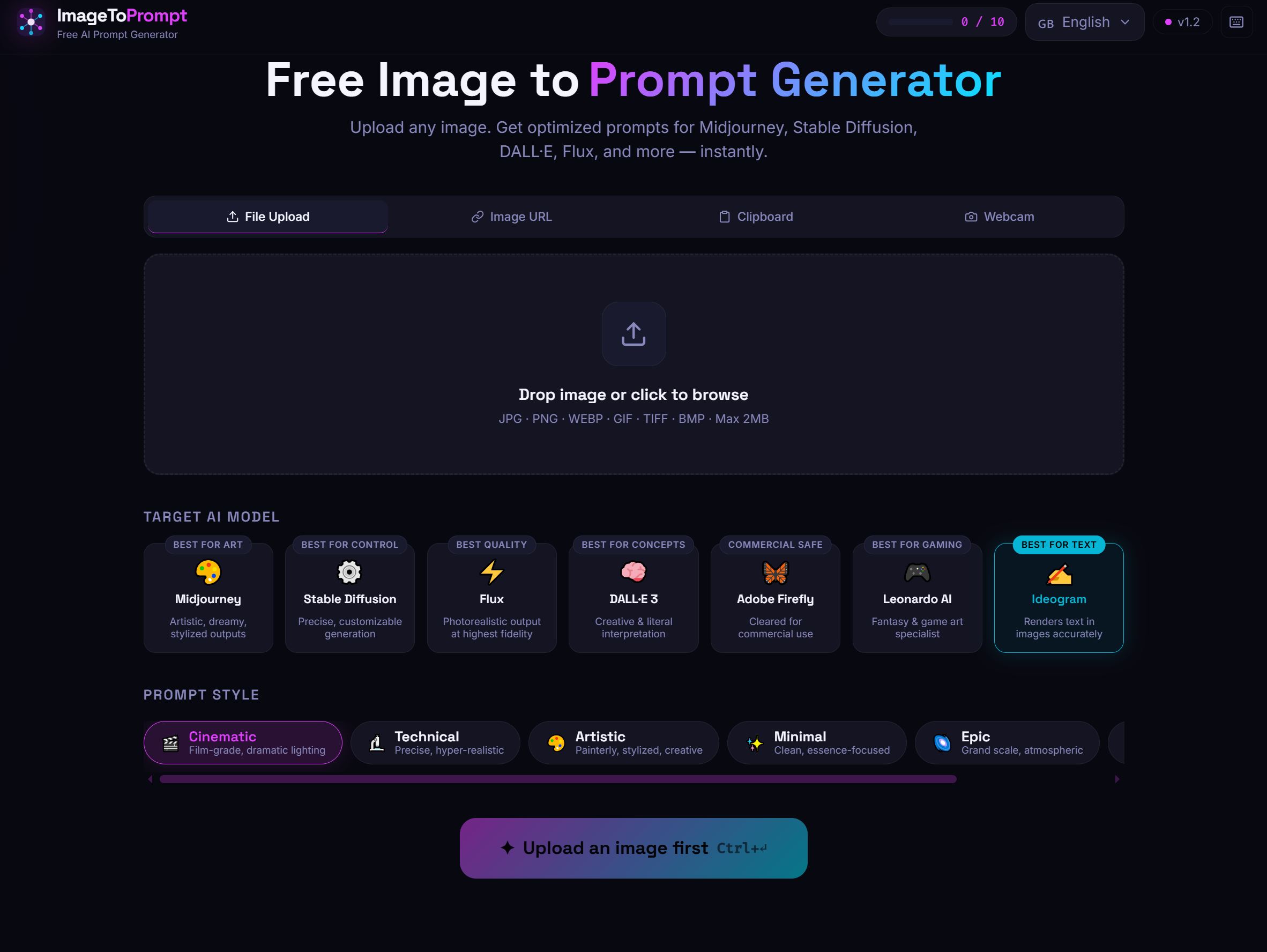
ImageToPrompt (the tool on this site) is a working reference implementation of this pattern. It uses Claude Haiku for image analysis, a Vercel serverless function as the backend, Upstash Redis for rate limiting (10 requests per IP per day on the free tier), and a React frontend that handles image upload, preview, and prompt display.
The full architecture — serverless function, rate limiting, CORS handling, error responses — represents a production-ready pattern you can adapt for your own use case. If you're building something similar, studying how a working implementation handles edge cases (large files, unsupported formats, concurrent requests) is more valuable than any tutorial.