Every AI image generator has a fatal flaw when it comes to text: garbled letters, nonsensical words, distorted typography. Midjourney produces beautiful art but turns "OPEN" into "OPEM". Stable Diffusion struggles to spell anything consistently. DALL·E 3 is better than most but still stumbles on longer strings or stylized fonts.
Ideogram is different. Built from the ground up with legible text rendering as a core capability, Ideogram 2.0 can place accurate, readable, stylized text directly inside AI-generated images — making it the tool of choice for poster designers, brand creators, social media managers, and anyone who needs typography to be part of their visual.
This guide covers everything you need to know about prompting Ideogram effectively in 2026: the syntax, the font descriptors, the use cases, and the tricks that separate mediocre results from professional-grade outputs.
What Makes Ideogram Unique Among AI Image Generators
Most AI image models treat text as just another visual element — a collection of shapes that should look vaguely letter-like. They're trained primarily on images, not on the semantic meaning of text, so they approximate typography rather than producing it accurately.
Ideogram's architecture specifically addresses text rendering. The model understands that text must be correct, not just stylistically appropriate. This distinction is what makes it invaluable for:
- Event posters where event names, dates, and venues must be accurate
- Brand logos where letterforms must be consistent and legible
- Social media graphics where quotes and calls to action anchor the design
- Book covers and album art where title typography is central
- Infographics and educational content where labels must be readable
- Product mockups where brand names appear on packaging
Beyond text, Ideogram also produces strong photorealistic and illustrative results — but its text capability is the feature that makes it irreplaceable in a designer's toolkit.
Ideogram 2.0 vs 1.0: What Changed
Ideogram 2.0 (released in 2025) represents a major leap over the original model. Here's what improved:
| Feature | Ideogram 1.0 | Ideogram 2.0 |
|---|---|---|
| Text accuracy | Good for short phrases | Reliable for multi-line, longer strings |
| Font style range | Limited serif/sans options | Wide range incl. calligraphy, grunge, neon |
| Image coherence | Occasional composition issues | Stronger scene understanding |
| Photorealism | Moderate | High — competitive with Flux |
| Canvas sizes | Square-focused | Full aspect ratio support |
| Magic prompt | Basic expansion | Context-aware enhancement |
For practical purposes: if you were using Ideogram 1.0 and found text occasionally had wrong letters, 2.0 fixes most of those issues. Multi-word strings, proper nouns, and mixed upper/lowercase all work more reliably now.
Text Rendering Syntax: How to Specify Text in Ideogram
The core technique is straightforward: enclose your desired text in quotation marks within the prompt. Ideogram recognizes quoted strings as text to render literally in the image.
A vintage travel poster for Paris with the text "PARIS" in large bold letters at the top, Eiffel Tower illustration, warm golden tones, art deco styleYou can specify multiple text elements:
Coffee shop menu board with the text "DAILY SPECIALS" as heading, chalk on blackboard texture, warm cafe atmosphereFor placement, use directional language:
Motivational poster with the quote "Rise and shine" in the center, "every morning is a new beginning" in smaller text below, sunrise photography background, sans-serif typographyText Placement Descriptors
Ideogram responds well to spatial language for positioning text:
- Position: at the top, centered, bottom third, upper left corner, overlaid on
- Scale: large, small, bold, headline-sized, subtitle, fine print
- Integration: integrated into the design, overlaying the background, embossed into the surface, painted on
Font Style Descriptors That Work
You don't specify fonts by name in Ideogram — instead, you describe the visual character of the typography. These descriptors consistently produce distinct, recognizable font styles:
Serif Styles
elegant serif typography— classic, editorial feel (think Garamond, Times)bold slab serif font— heavy, blocky serifs (think Rockwell, Clarendon)transitional serif— refined with moderate contrast (think Georgia)decorative Victorian serif— ornate, historical letterforms
Sans-Serif Styles
clean geometric sans-serif— minimal, modern (think Futura, Montserrat)humanist sans-serif— warm, friendly (think Gill Sans)condensed bold sans-serif— tall, narrow, high impactrounded sans-serif— approachable, soft corners
Display and Specialty Styles
handwritten script font— natural, flowing letterformsbrush calligraphy— ink brush strokes, variable widthgrunge distressed typography— worn, textured, punk aestheticneon sign lettering— glowing tubes, retro nightlifechalk lettering— soft, slightly rough, cafe menu stylestencil font— military/industrial, cutout letterformsArt Deco lettering— geometric, 1920s glamour
Poster Design Prompts
Poster design is Ideogram's strongest use case. Here are templates for the most common poster types:
Event Poster
Concert poster for a jazz festival, text "JAZZ NIGHTS" in large Art Deco gold lettering at top, "JUNE 14-16, 2026" in smaller sans-serif below, silhouette of saxophone player, deep navy and gold color palette, vintage poster style, elegant and sophisticatedMovie Poster Style
Cinematic movie poster composition, dark atmospheric background, lone figure standing on a cliff at night, text "AFTER THE STORM" in dramatic condensed serif font at top, tagline "some things can't be washed away" in italic below the figure, moody film noir lightingMotivational Poster
Minimalist motivational poster, clean white background with subtle geometric texture, large centered text "DO THE WORK" in bold geometric sans-serif, small text "every single day" beneath it, modern typography, inspirational, print-ready designRestaurant/Cafe Menu Board
Artisan coffee shop chalkboard menu, text "MORNING BREW" as header in chalk lettering, list of drinks below in smaller chalk script, hand-drawn coffee cup illustration, warm dark background, cozy atmosphere, illustrated botanical elements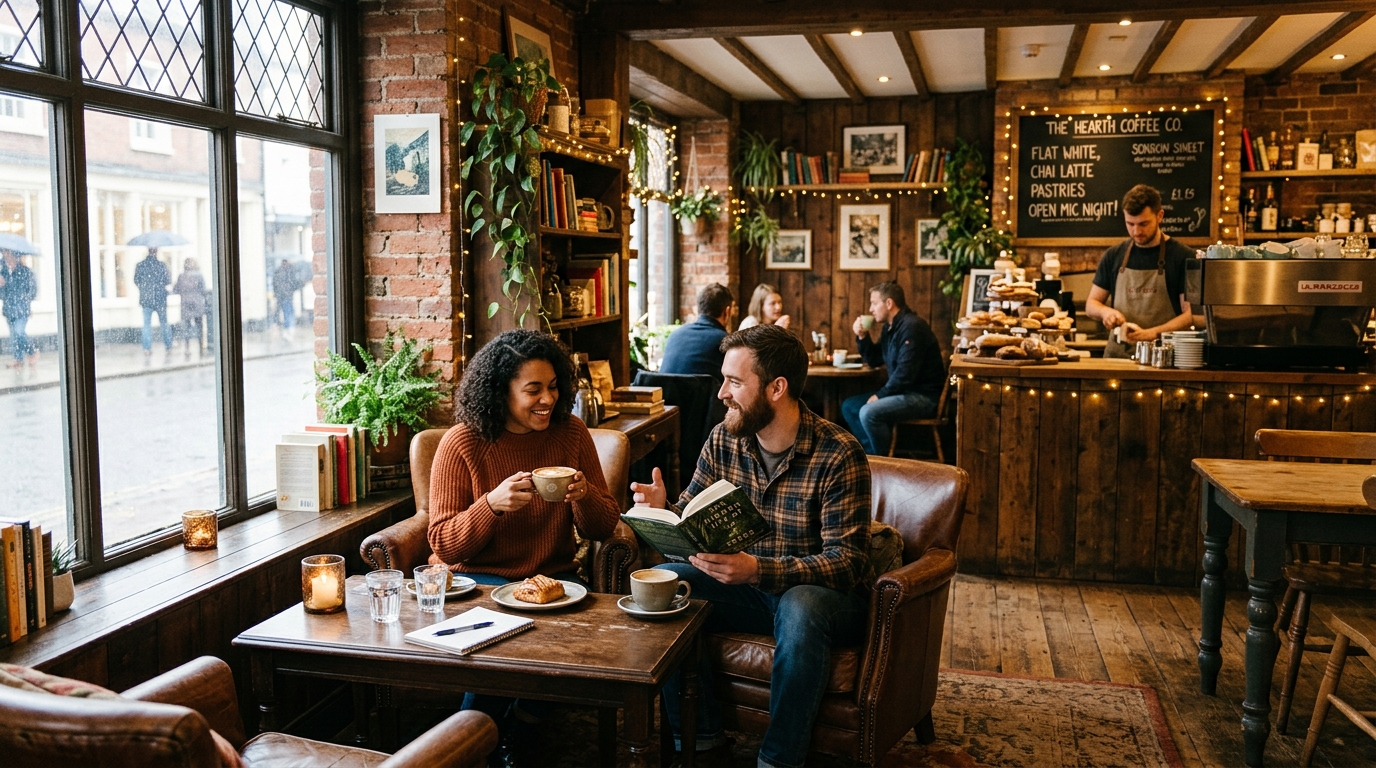
Logo Design with Ideogram
Ideogram outperforms every other AI image tool for logo concepts that include text. While you wouldn't use any AI output directly as a final production logo (vector tracing and refinement in Illustrator is still necessary), Ideogram can generate compelling conceptual directions far faster than manual sketching.
Wordmark Logos
Minimalist wordmark logo for a tech startup called "Nexus", clean geometric sans-serif typography, gradient from deep purple to electric blue, simple and memorable, white background, professional brand identityBadge/Emblem Logos with Text
Vintage badge logo with circular border, text "CRAFTSMAN COFFEE" around the top arc, "EST. 2018" along the bottom arc, illustrated coffee bean in the center, earthy brown and cream color palette, artisan craft aesthetic, letterpress textureLetter Mark Icons
Modern monogram logo using the letters "AK", geometric interlocking design, dark charcoal and gold color scheme, clean vector-style rendering, isolated on white background, luxury brand aestheticQuote Graphics for Social Media
Quote graphics are one of the highest-volume use cases for Ideogram among content creators. The goal is integrating a legible quote into an aesthetically compelling image that stops the scroll.
Instagram quote graphic, soft bokeh golden hour photography background, centered text "The best time to start was yesterday" in elegant handwritten script, muted warm tones, lifestyle brand aesthetic, portrait format 4:5LinkedIn professional quote graphic, abstract dark geometric background, text "Leadership is not about being in charge" in bold clean sans-serif at top, attribution "— Simon Sinek" in smaller italic below, sophisticated business aesthetic, deep navy and whitePinterest-style motivational graphic, watercolor floral background in soft pastels, text "She believed she could, so she did" in flowing brush calligraphy, feminine and elegant, tall vertical formatInfographic-Style Prompts
For data visualization and educational content, Ideogram can generate infographic-style layouts that would normally require hours in design software:
Clean infographic showing three steps, numbered icons 1, 2, 3 from left to right, step labels "Research", "Design", "Launch" in bold sans-serif under each number, connecting arrows between steps, flat design style, teal and coral color palette, white background, modern and professionalComparison graphic with two columns, left column header "BEFORE" and right column header "AFTER" in large bold text, simple illustrated icons in each column showing transformation, clean modern layout, dark mode design with light textColor Combinations That Work Well with Text
High contrast between text and background is the most important factor for legible text in Ideogram outputs. These combinations consistently produce readable results:
| Background | Text Color | Best For |
|---|---|---|
| Deep navy blue | White or gold | Professional, luxury, nautical |
| Black or dark charcoal | White, cream, or neon | Dramatic, premium, nightlife |
| Cream or off-white | Deep brown or black | Editorial, artisan, warm |
| Forest green | White or pale gold | Outdoor, natural, organic |
| Terracotta/rust | White or cream | Bohemian, earthy, warm |
| Deep burgundy | Gold or cream | Luxury, wine, heritage |
Avoid mid-range values for text — grey text on grey backgrounds or blue text on purple backgrounds will produce illegible results regardless of how good the model is.
Ideogram Aspect Ratios and Canvas Sizes
Ideogram 2.0 supports a full range of aspect ratios. Specifying the right format in your prompt dramatically improves composition:
- 1:1 (Square) — Instagram posts, profile images, icon designs
- 4:5 (Portrait) — Instagram feed photos, Pinterest pins
- 9:16 (Tall portrait) — Instagram/TikTok Stories, phone wallpapers
- 16:9 (Landscape) — YouTube thumbnails, presentation slides, desktop wallpapers
- 3:4 (Portrait) — Book covers, posters, flyers
- 2:3 (Tall portrait) — Movie posters, magazine covers
Include the intended format in your prompt: "vertical poster format", "landscape banner", "square social media graphic", or "portrait 2:3 ratio".
Ideogram vs DALL·E 3 for Text Rendering
DALL·E 3 (via ChatGPT) improved text rendering significantly over earlier OpenAI models and is a legitimate competitor for short text strings. Here's where each tool has the edge:
| Use Case | Ideogram 2.0 | DALL·E 3 |
|---|---|---|
| Multi-word accurate text | Excellent | Good (occasional errors) |
| Typography as design element | Excellent | Good |
| Photorealistic scenes without text | Good | Very good |
| Stylized font variety | Excellent | Moderate |
| Multi-line text layouts | Very good | Moderate |
| Direct API access | Yes | Yes (OpenAI API) |
| Free tier | Yes (limited) | Via ChatGPT free tier |
The verdict: for any project where text content must be accurate, Ideogram is the better choice. For pure photorealism without text, the tools are more comparable and DALL·E 3's integration with ChatGPT gives it a workflow edge.
Negative Space and Text Integration
Some of the most striking Ideogram designs use negative space — areas of minimal detail where text can sit cleanly without competing with busy imagery.
Minimalist poster with a large dark sky taking up the top two-thirds of the image, sparse mountain silhouettes at the bottom, text "EXPLORE THE UNKNOWN" in white sans-serif in the dark sky area, intentional negative space, clean compositionProduct advertisement layout, soft focused blurred botanical background, large white empty center panel where text "PURE NATURE" appears in elegant serif, negative space composition, editorial magazine styleThe phrase "intentional negative space" in your prompt signals to Ideogram that you want clear areas for text placement, rather than busy detailed backgrounds that fight the typography.
10 Complete Ideogram Prompt Examples
-
Music Festival Poster:
Summer music festival poster, text "SOLAR FEST 2026" in large retro psychedelic lettering at top, "August 22-24 · Desert Springs, CA" in clean sans-serif below, illustrated sun and mountains, warm sunset gradient background, 70s poster aesthetic, vertical format -
Bakery Brand Logo:
Artisan bakery logo, text "GOLDEN LOAF" in warm serif typography with a hand-drawn wheat illustration integrated above the text, rustic and warm, cream and golden-brown color scheme, circular badge format -
Tech Conference Badge:
Professional conference badge design, text "DEVCON 2026" in bold geometric sans-serif as headline, "Building the Future of Web" as subtitle in lighter weight, dark gradient background, electric blue accent, modern tech aesthetic -
Book Cover:
Thriller novel cover, dark atmospheric forest at night with a single lit window in the distance, title "THE HOLLOW WOODS" in distressed serif font at top, author "J. Rivers" at bottom in smaller clean sans-serif, fog and mystery, vertical 2:3 format -
Gym/Fitness Poster:
High energy fitness poster, dramatic low-angle shot of weights and gym equipment, text "NO DAYS OFF" in ultra-bold condensed sans-serif in the center, deep black background with orange and red gradient accent lighting, powerful and motivational -
Cafe Loyalty Card:
Small business loyalty stamp card, illustrated coffee cup in the center, text "BREW & CO" in rounded sans-serif above, "YOUR 10TH COFFEE IS FREE" in small print below, warm cream background, minimal charming design, horizontal card format -
YouTube Thumbnail:
YouTube thumbnail design, bold text "5 MISTAKES" in large red and yellow letters on the left side, dramatic photorealistic image of a frustrated person at a computer on the right, high contrast for small-screen readability, 16:9 format -
Wedding Invitation Concept:
Elegant wedding invitation design, soft watercolor floral border in blush and sage, centered text "Sarah & James" in flowing calligraphy, "June 21, 2026 · Rosewood Estate" in small elegant serif below, ivory background, romantic and sophisticated -
Street Art Style:
Urban street art mural design, brick wall background, large graffiti-style text "CREATE" in layered spray paint letters, vibrant colors including neon orange, electric blue, hot pink, urban art aesthetic, detailed texture -
Product Packaging Label:
Premium olive oil label design, text "CASA VERDE" in elegant serif at top, "EXTRA VIRGIN OLIVE OIL" in small caps below, illustrated olive branch wrapping around the text, forest green and gold color scheme, artisan product label style
Using ImageToPrompt to Analyze Text-Containing Reference Images
If you have a poster, logo, or graphic design whose style you want to replicate in Ideogram, ImageToPrompt can extract the visual language from that reference image and give you a structured prompt you can adapt.
The workflow:
- Find a poster or graphic design that has the visual style you're after
- Upload it to ImageToPrompt
- Select "Ideogram" as your target model (or use the general prompt output)
- Review the extracted prompt — it will identify color palette, typography style, composition, and mood
- Add your specific text content (enclosed in quotes) to the extracted prompt
- Paste the combined prompt into Ideogram
This is particularly useful when a client shows you a reference image and says "make it look like this but with our name on it." Rather than trying to manually deconstruct the style, let the AI analysis do the heavy lifting and focus your energy on the text-specific refinements.
Advanced Tips for Consistent Results
Use "typography as the hero": Tell Ideogram explicitly that the text is the focal point when you want it to take up significant space. "Typography-forward design" signals that text should be large and prominent.
Reference design movements: Descriptors like "Art Nouveau", "Bauhaus", "Swiss International Style", "Memphis Design", or "Brutalist graphic design" produce very distinct typographic treatments.
Describe the printing/production method: "Risograph print", "letterpress", "screen printed", "embossed gold foil" all produce distinct texture treatments that work well with typography.
Magic Prompt on vs off: Ideogram's Magic Prompt feature expands your input. For text-specific work, consider turning it off — it can sometimes rewrite your quoted text or change your specified design direction. For open-ended exploration, leave it on.