Flux.1 changed the game when Black Forest Labs released it in mid-2024, and by 2026 it has become the preferred generator for users who want photorealistic output with better text rendering and more faithful prompt following than competitors. But Flux's strength — its sophisticated natural language understanding — also trips up users who arrive from Midjourney or Stable Diffusion with habits built around tag-based prompting. This guide shows you exactly how Flux thinks, and how to write prompts that consistently produce stunning results.
We'll cover the architecture difference that makes Flux behave differently, the specific vocabulary it responds to best, 10 fully analyzed example prompts, and how to use ImageToPrompt to automatically generate Flux-optimized prompts from any reference image.
Flux.1 Variants: Dev, Pro, and Schnell
Black Forest Labs released three variants of Flux.1, each with a different balance of quality, speed, and accessibility. Understanding which variant you're using is important because they have slightly different prompt sensitivities.
| Variant | Speed | Quality | License | Best Use Case | Typical Steps |
|---|---|---|---|---|---|
| Flux.1 Dev | ~20–40s (GPU) | ★★★★★ | Non-commercial | High-quality personal projects, experimentation | 20–50 steps |
| Flux.1 Pro | ~15–30s (API) | ★★★★★ | Commercial (API) | Production work, commercial projects | API managed |
| Flux.1 Schnell | ~2–5s (GPU) | ★★★★☆ | Apache 2.0 (open) | Rapid prototyping, high-volume generation | 4 steps |
For most creative work, Flux.1 Dev is the sweet spot — it produces quality comparable to Pro at no per-image API cost when run locally. Flux.1 Schnell is remarkable for its speed (4 inference steps vs. 50 for most models) but produces slightly softer details and is less responsive to subtle prompt nuances. Pro is the choice for commercial production pipelines where licensing matters.
All three variants share the same fundamental prompting logic — the differences are in generation quality and speed, not in how they process text.
Why Flux Uses Natural Language (And Why This Matters)
Flux.1 is built on a Diffusion Transformer (DiT) architecture rather than the UNet architecture used by Stable Diffusion 1.5 and SDXL. Crucially, Flux uses a T5-XXL text encoder — the same type of large language model used in Google's research — rather than CLIP.
CLIP was trained primarily to match images to short captions. It works well with brief, descriptive tags but struggles with complex relationships, long sentences, and nuanced compositional instructions. T5-XXL was trained on massive text corpora and understands syntax, grammar, sentence structure, and context.
This architectural difference is why:
- Flux can accurately render text in images (a historical weakness of all diffusion models)
- Flux follows complex, multi-clause compositional instructions
- Flux understands relational language: "a person standing to the left of a red car"
- Flux does NOT benefit from comma-separated tags the way SD 1.5 models do
- Flux does NOT benefit from (keyword:weight) syntax — it ignores the weight markers
Flux Prompt Structure: The Three-Part Formula
The most reliable Flux prompts follow a three-part structure: subject and scene, then technical photographic details, then style and mood. This mirrors how a professional photographer or cinematographer would describe a shot brief.
[SUBJECT AND SCENE DESCRIPTION] + [CAMERA AND TECHNICAL DETAILS] + [STYLE AND MOOD]A concrete example:
A middle-aged Japanese chef in a traditional white uniform carefully plating a bowl of ramen in a small Tokyo restaurant, steam rising from the broth, warm incandescent light overhead, other diners blurred in the background. Shot on Sony A7R V with 85mm f/1.4 lens, shallow depth of field, natural documentary lighting. Warm amber color grading, intimate storytelling mood, photojournalism style.Let's break down why this works:
- "carefully plating" — the adverb captures pose and action better than just "plating"
- "steam rising from the broth" — atmospheric detail that Flux renders literally
- "other diners blurred in the background" — Flux understands this as a depth-of-field instruction
- Camera/lens specification — signals photorealistic intent and specific bokeh characteristics
- "intimate storytelling mood" — compositional and tonal instruction
Camera Terminology That Works in Flux
Specifying real camera equipment is one of the most powerful Flux techniques. The T5 encoder recognizes specific camera models and their associated visual characteristics — sensor size, dynamic range, color science — and applies those qualities to the output.
Camera Bodies
Sony A7R V— high-resolution, detailed, neutral color scienceCanon EOS R5— warm, pleasing skin tones, natural renderingNikon Z9— punchy contrast, strong dynamic rangeFujifilm X-T5— film-like color, Fujifilm color science (especially with film simulation names)Hasselblad X2D— medium-format look, exceptional tonal gradationLeica M11— classic, slightly muted, documentary aestheticPhase One IQ4— ultra-high-end commercial/fashion look
Lenses and Their Effects
24mm f/1.4 wide angle— environmental context, slight edge distortion, dramatic perspective35mm f/2— classic street photography, natural perspective50mm f/1.2— neutral perspective, excellent bokeh, versatile85mm f/1.4— flattering portrait compression, creamy background blur135mm f/2— strong compression, isolated subject, painterly bokeh200mm f/2.8 telephoto— compressed background, sports/wildlife aestheticmacro lens, 1:1— extreme close-up, high detail
Camera Settings
ISO 3200, high grain— adds film-like noise texture for gritty/documentary aestheticlong exposure, motion blur— captures movement, light trailsf/22, deep depth of field, everything in focus— landscape/architecture lookf/1.2, razor-thin focus plane— extreme separation between subject and background
Lighting Descriptors That Elevate Flux Outputs
Lighting is arguably the most impactful element in photographic prompts. Flux's training on photographic and cinematographic content means it has a rich vocabulary for lighting conditions.
Natural Light
golden hour light— warm, directional low-angle sunlight, long shadowsblue hour— soft, cool twilight immediately after sunsetovercast diffused light— even, shadowless, soft — ideal for portraitsharsh midday sun, high contrast shadows— dramatic, summer heat aestheticdappled light through tree canopy— forest light, moving shadow patternswindow light, one-sided illumination— classic indoor portrait lighting
Artificial and Studio Light
Rembrandt lighting— characterized by a triangle of light under one eye; classic portrait lightingsplit lighting, half shadow— dramatic, one side fully lit, one in shadowring light, flat frontal lighting— fashion/beauty look, catches in the eyesneon sign reflections, colored light— urban night photographycandlelight, single flame source— warm, flickering, intimatebioluminescent glow— cool blues and greens, sci-fi or fantasy
Cinematic Lighting
volumetric light, god rays— visible light beams through atmosphere/hazechiaroscuro— extreme contrast between light and dark areas, painterlypractical lighting from below— horror/thriller look, unflattering shadowsmotivated lighting, warm practical sources— realistic interior cinematography
Style Descriptors That Work Well in Flux
Unlike Stable Diffusion which needs checkpoint-specific style tokens, Flux understands stylistic descriptions through its language model. These descriptors consistently produce recognizable results:
Photography Styles
photojournalism, documentary stylefashion editorial, high-end commercialstreet photography, candid momentfine art photography, gallery print qualityanalog film photography, 35mm grainmedium format film, Kodak Portra 400 colors
Art and Illustration Styles
oil painting, visible brushwork, museum qualitywatercolor illustration, soft edges, paper texturedigital concept art, highly detailed, ArtStation qualitygraphic novel illustration, bold lines, flat colorArt Nouveau style, ornamental, flowing lines
Cinematic Styles
cinematic film still, anamorphic lens flaremovie poster compositionin the visual style of a Wes Anderson film— symmetrical, pastel, flatnoir film aesthetic, black and white, hard shadows
What NOT to Do in Flux Prompts
Coming from Stable Diffusion or Midjourney, these habits will hurt your Flux results:
- Do NOT use (keyword:weight) syntax. Flux ignores parenthetical weight modifiers entirely.
(beautiful:1.4)andbeautifulproduce identical results in Flux. - Do NOT use --ar, --v, --style flags. These are Midjourney-specific parameters. They'll appear as literal text in Flux outputs.
- Do NOT use negative prompts in Flux Dev/Schnell. Standard Flux doesn't support negative prompts the way SD does. Use descriptive positive language instead: say "clean, sharp background" rather than trying to negative-prompt "blurry background."
- Do NOT front-load quality tokens. "masterpiece, best quality, ultra detailed, 1girl" is SD syntax. Flux interprets this as a literal sentence and may generate an image labeled "masterpiece."
- Do NOT write extremely short prompts. Flux's T5 encoder performs better with richer contextual information. A 50-word prompt generally outperforms a 10-word prompt for complex scenes.
- Do NOT list comma-separated tags without grammatical structure. "woman, forest, sunlight, beautiful, high quality" gives Flux less information than "a woman standing in a sunlit forest, late afternoon, high quality photograph."
The flip side: Flux also handles very long, detailed prompts better than any previous model. Don't be afraid of 100+ word prompts that read like detailed scene direction — Flux will follow them accurately.

10 Example Prompts With Analysis
1. Portrait Photography
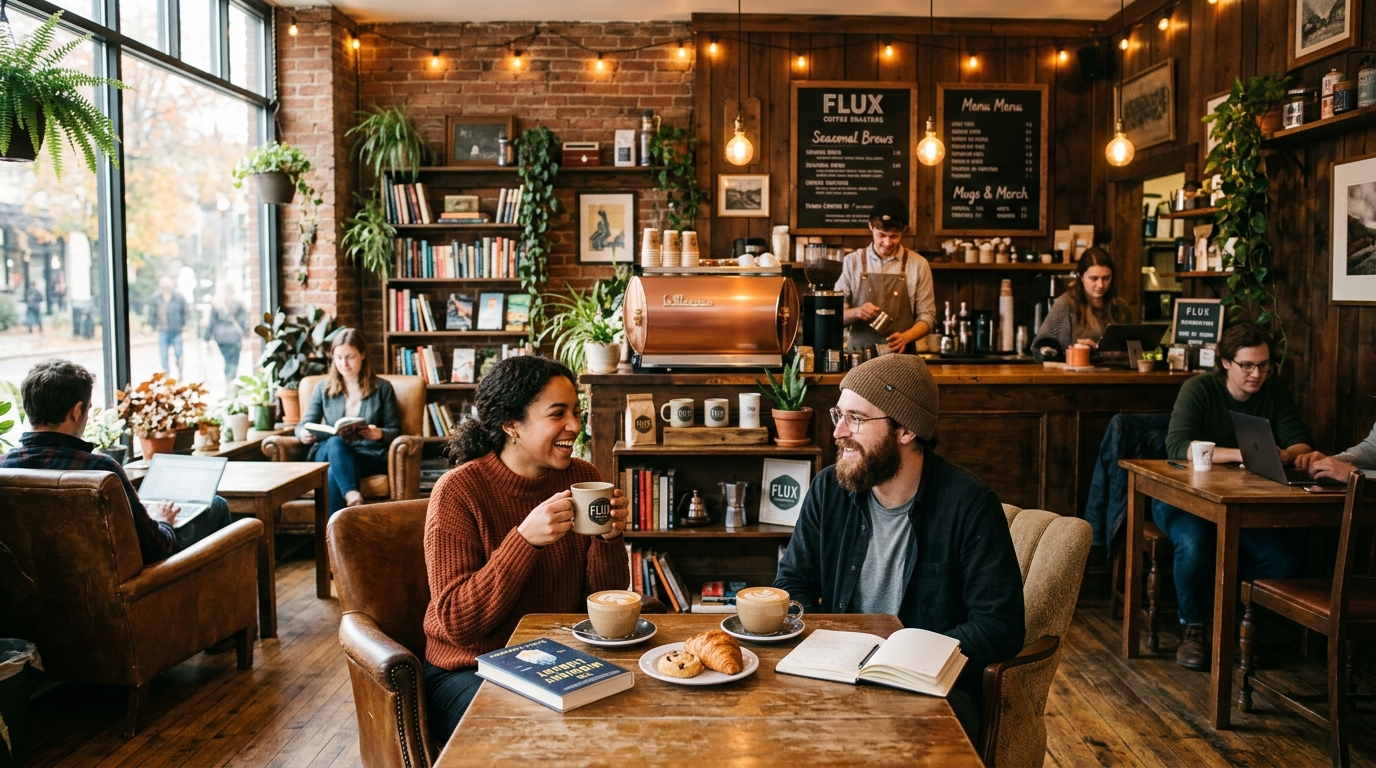
A 30-year-old woman with natural red hair sits by a rain-streaked window in a coffee shop, looking contemplative, hands wrapped around a ceramic mug. Late afternoon, overcast daylight from the left side, warm tungsten interior lights creating a color contrast. Shot on Fujifilm GFX 100S, 110mm f/2 equivalent, shallow depth of field. Kodak Portra 400 film emulation, slightly desaturated greens, intimate documentary feel.Why it works: Specific subject description, precise lighting setup with light direction noted, named film stock for color grading guidance, mood descriptor at the end.
2. Architectural Photography
The interior of a modernist cathedral, concrete brutalist architecture, shafts of light cutting through narrow vertical windows high on the walls, casting long geometric shadows on the textured concrete floor. Shot on Canon EOS R5, 17mm tilt-shift lens, all vertical lines corrected, f/11, everything in sharp focus. Monochromatic, high contrast black and white, fine art architectural photography.3. Fantasy Landscape
A vast alien landscape at twilight: twin moons rising over a plateau covered in bioluminescent blue-purple vegetation, a lone explorer in a spacesuit standing at the edge, small against the scale of the environment. The atmosphere is thick and hazy, creating atmospheric perspective and layered depth. Painted in a style combining photorealistic digital art with concept art looseness, cinematic composition, epic scale, ultra-detailed foreground plants.4. Street Photography
A crowded Tokyo crossing at rush hour, motion blur on the pedestrians suggesting movement, one sharply focused businessman in the center looking directly at the camera, surprised expression. Heavy rain, reflected neon signs on wet pavement, shallow depth. Shot on Leica Q3, 28mm f/1.7, ISO 6400, available light only. Black and white with deep shadows, photojournalism aesthetic.5. Product Photography
A single glass bottle of amber whiskey on a dark walnut table, dramatic side lighting from a single spotlight source creating a strong specular highlight on the glass, warm amber liquid glowing. Dark background fading to black. Shot on Phase One IQ4, 120mm macro, f/8. Commercial product photography, ultra-clean, advertising quality, every glass bubble and label detail sharp.6. Wildlife Photography
A Bengal tiger wading through shallow water in a misty forest, early morning light filtering through dense canopy, water droplets frozen mid-splash around its legs. The tiger is alert, head turned slightly toward the camera. Shot on Nikon Z9, 500mm f/4 telephoto, 1/2000s to freeze motion, natural forest light. National Geographic quality wildlife photography, tack-sharp eyes, motion-blurred water.7. Food Photography
A bowl of handmade pasta with cherry tomatoes, basil, and olive oil on a rough linen tablecloth, afternoon light from a kitchen window at 45 degrees, casting soft shadows. Steam rising from the pasta. Overhead angle, 45-degree composition. Shot on Sony A7R V, 90mm macro f/2.8. Warm editorial food photography, slightly desaturated background to make the food pop, Bon Appétit magazine aesthetic.8. Sci-Fi Concept Art
Interior of a colossal generation ship, showing the agricultural rings with forests and fields curving upward in the centrifugal section, sunlight simulated by a central light tube, people as small figures walking between trees. The scale is breathtaking — the curvature of the interior visible. Detailed digital concept art, matte painting quality, warm environmental lighting, realistic atmospheric haze for scale, inspired by classic sci-fi illustration.9. Fashion Photography
A model in a dramatic black structured coat stands in an empty white marble corridor, strong directional light from a large window to the right, creating graphic shadows across the floor. Editorial, minimal composition, confident pose with coat flowing slightly. Shot on Hasselblad X2D, 80mm f/2.8, balanced ambient and natural light. High fashion editorial, Vogue quality, exceptional tonal range, no distracting elements.10. Macro Nature
Extreme macro photography of a single dewdrop on a spider web strand, inside the dewdrop a perfectly formed reflection of the surrounding forest and morning sky visible. Overcast soft light, maximum detail in the water surface tension and web filaments. Shot on Canon MP-E 65mm 5x macro, f/11, focus-stacked for complete depth of field. Scientific illustration quality, razor-sharp details, magical natural world mood.Using ImageToPrompt to Generate Flux Prompts from Reference Images
Manually crafting Flux prompts requires knowing this specific vocabulary — camera models, lighting terms, style references. When you have a reference image and want to generate something similar in Flux, ImageToPrompt.dev handles the vocabulary translation automatically.
When you select Flux as your target model in ImageToPrompt:
- The tool analyzes your reference image using Claude Vision
- It identifies the photographic characteristics: apparent focal length, lighting setup, depth of field, color grading
- It matches these characteristics to appropriate Flux vocabulary: specific camera equipment, lighting terminology, style descriptors
- It formats the output as a coherent natural language paragraph, not a tag list
A reference photograph of a misty forest sunrise, analyzed through ImageToPrompt with Flux target, might produce:
A dense Pacific Northwest forest in early morning, shafts of golden light cutting through mist between towering Douglas firs, the ground covered in soft green moss and fallen needles, a narrow dirt path disappearing into the fog. Shot on Sony A7R V, 35mm f/8, deep depth of field capturing both foreground moss texture and distant hazy trees. Moody and meditative, ethereal morning light, fine art landscape photography, muted cool shadows contrasting with warm light beams.Common Flux Beginner Mistakes
- Treating Flux like Midjourney. No --ar flags, no --style parameters, no --v 6.1. Flux needs pure descriptive text.
- Treating Flux like Stable Diffusion. No (quality:1.4) tokens, no comma-tag lists, no negative prompt field.
- Under-describing the scene. "A beautiful landscape" gives Flux very little to work with. "A rocky coastal cliff at dawn, tide pools reflecting the pink sky, a lone lighthouse in the distance" gives Flux a scene to construct.
- Not specifying aspect ratio in the UI settings. Flux determines aspect ratio from settings, not from the prompt. If you want a vertical portrait, set 9:16 in your generation settings — don't put it in the prompt text.
- Expecting immediate perfection. Even with excellent prompts, Flux generations benefit from running 3–5 variations. The stochastic nature of diffusion means quality varies between seeds.
- Ignoring guidance scale (CFG). Flux Dev works well with CFG values of 3.5–4.0. Higher values (7.0+) that work in SD will produce over-saturated, artifact-heavy results in Flux.
- Using artist names as style shortcuts without description. "by Greg Rutkowski" is more ambiguous for Flux than "epic fantasy concept art with warm lighting and dramatic composition" — though combining both often works best.